

Saved DCX2496 configurations are automatically saved in the default folder ‘C:\Users\Public\Documents\DCX.Mixer’, including the direct preset save buttons 1–6. If you already have your own presets, please copy them to this directory (*.DCC files).
DCX Apps
The PC with the "DCX.Server" software must have an RS232 port: the “RTS” signal and a baud rate of 38,400 baud are supported. PCs without an RS232 port should use a USB-to-RS232 adapter. Adapters with an FTDI chip are recommended. No drivers are required for this under MS Windows 11 or macOS. Example: Digitus DA-70156.
No.
You will also need the DCX.Server software for control purposes.
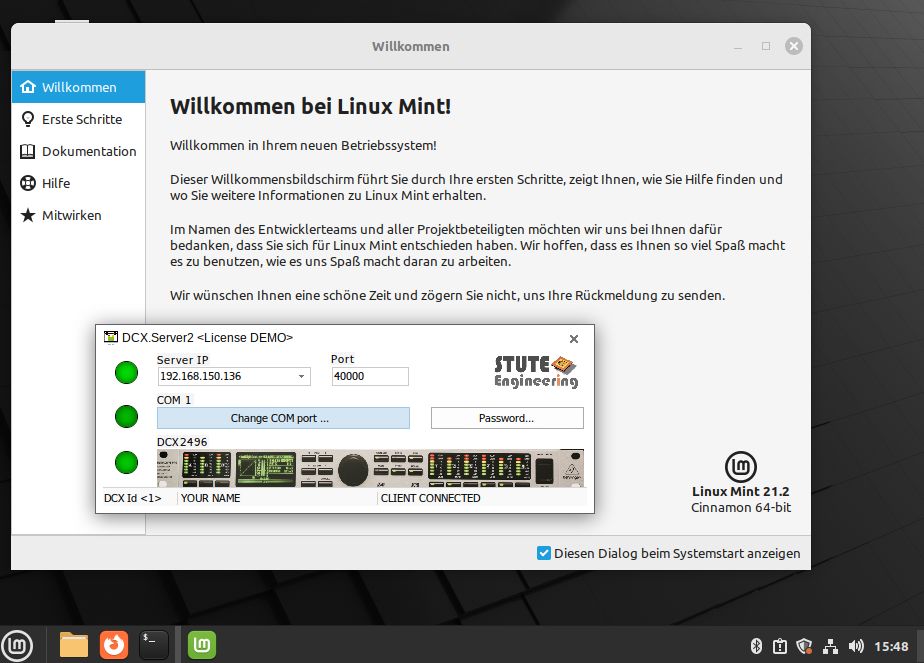
Good to know: You can use DCX.Server for MS-Windows with a Linux PC in combination with free WineHQ extension, like Linux Mint 21 with WineHQ 8.
So you can control comfortable your DCX2496 from your tablet PC or cell phone via WiFi.